


PlayScore2 needs hi-end camera
3.6361.00 Reviews
App Specs
- Version
- 1.5.70
- Updated On
- License
- Free
- Downloads
- 500,000+
- Developer
- PlayScore
- Categories
- Music & Audio
- Platform
- Android
Screenshots
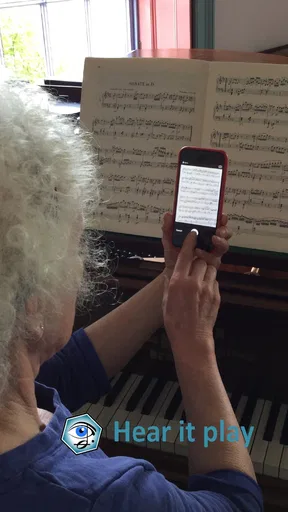
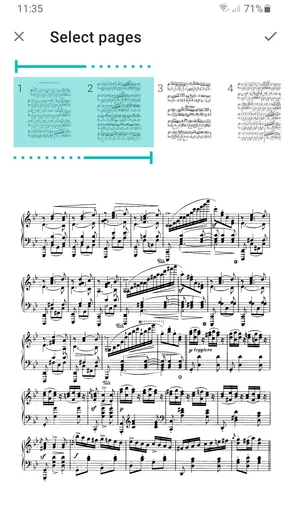
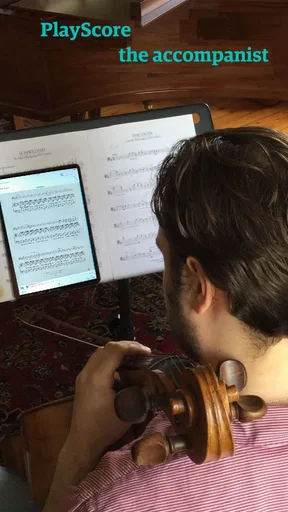
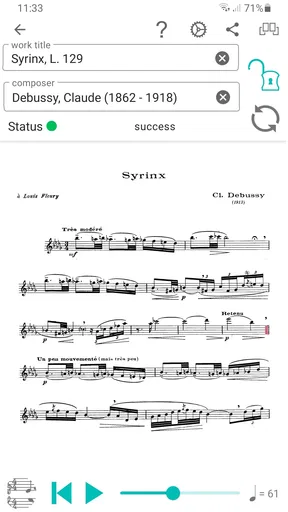
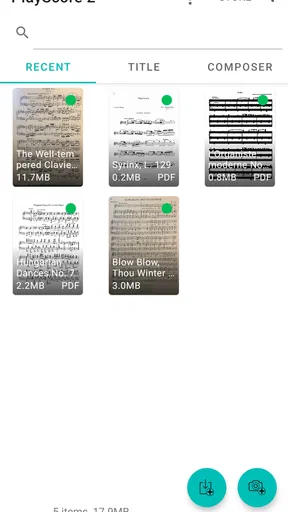
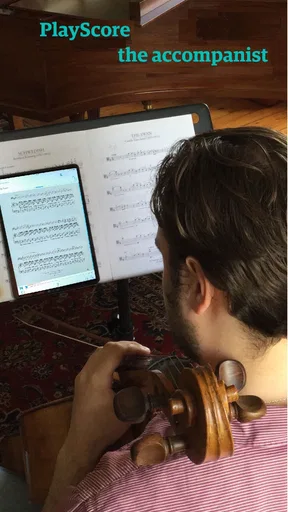
 Analysis by AppCompare
I tend to judge a score-reading app by what happens before the first note sounds: can I give it a clean page without turning setup into a project? With PlayScore 2, the camera route can feel quick, but the result depends on how clearly the music is presented to the phone. That matters more than simply owning a new handset. If you are considering it because you want to hear a score rather than just look at one, it helps to know where scanning can stumble and what you can do about it.
Where a scan can go wrong
The most frustrating cases are often not dramatic camera failures. A page may look readable to me yet contain fine staff lines, small noteheads, crowded chords, or faint printing that gives recognition less to work with. A shadow across a measure or a page photographed at an angle can also make the image harder to interpret. When playback sounds wrong, I would first compare the result with the printed notation instead of assuming the app has misunderstood the whole piece.
Dense passages deserve a closer check than a simple melody. Accidentals, ledger lines, rests, and notes close together can be easy to confuse in a poor image, and one mistaken symbol can make a phrase sound unexpectedly odd. I treat the first playback as a useful reading aid, not an authoritative performance. For practice, that distinction is valuable: the app can help me check the shape and timing of a passage, while I still use the score and my musical judgement to verify details.
Set up the page before blaming the camera
Before scanning, I would place the sheet on a flat surface, keep the page evenly lit, and hold the phone so the printed staves look straight rather than tapered. I also avoid letting the phone, my hand, or a nearby object cast a shadow over the music. These small adjustments make a fairer test of the camera and can help distinguish a difficult page from a device limitation.
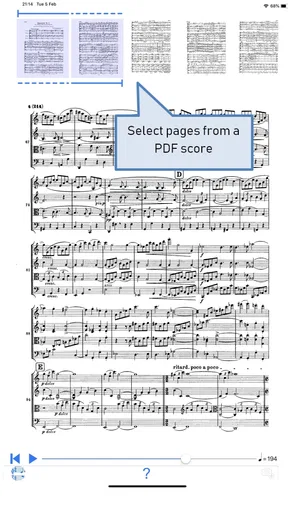
Clean source material is another practical advantage. If you have a PDF, trying that source can be more convenient than photographing a page, especially when the paper is curved, glossy, or poorly lit. The app is designed to work with photographed music as well as PDFs, so I would choose whichever gives the clearest, most complete view of the notation. When the page has multiple systems, keeping the full relevant layout visible is generally more helpful than cropping away context.
The app is free to install, with in-app purchases ranging from $3.99 to $59.99 per item. I would start with a short, uncomplicated passage before relying on it for a long rehearsal or a detailed score. That gives you a chance to see how your device and the particular sheet work together, and to decide whether you need more than the basic trial of the workflow. There is no good reason to judge it from one difficult page alone.
Recovering from a misread passage
If the playback does not match the printed part, I would not immediately rescan the entire score in exactly the same way. First, I would check whether the questionable measure is visibly sharp and unobstructed, then try again with the page flatter and the camera more square to it. If the page itself is a PDF, I would use that instead of a camera image. Changing one condition at a time makes it easier to tell whether the problem came from glare, framing, or the notation itself.
Worth Reading Before You Choose

Flipboard Shows What News Apps Must Do Beyond the Feed

Switching to Android Auto Means Rethinking Your Driving Routine

Google Calendar Makes a Crowded Week Easier to Manage

Ludo King Makes the Most of the Minutes Between Plans

Baby Panda World Brings Quick Play to Modern Phones, but Its Game Library Feels Busy

ESPN’s Live Game View Makes Following Close Games Easier
For a long piece, a sensible workflow is to check a representative section before committing to the whole score. A passage with chords or accidentals is a better test than a row of repeated notes because it shows whether the app is reading the details you care about. I would also listen in short sections when checking a result: it is easier to spot the measure where playback diverges than to replay a complete work and guess where the error began.
When the phone may not be the problem
A capable camera cannot make every printed score equally easy to read. Tiny notation, busy engraving, low contrast, or a page layout that crowds symbols together can still challenge recognition. That is why I would not buy a new phone solely on the assumption that it will solve every scanning problem. A better camera can give the app a clearer starting image, but the quality and legibility of the sheet remain part of the equation.
PlayScore2 is a Music & Audio app from PlayScore, and it is rated for Everyone. It has a 3.8 average from around 6,300 ratings, with over 500,000 installs. It was released on December 2, 2020, and version 1.5.62 supports Android 6.0 and later. Those details make it accessible to many Android users, but the practical test is still whether your own pages scan cleanly enough for the way you want to practise.
What is PlayScore 2 All About?
First things first, PlayScore 2 is an app that scans sheet music and plays it back to you. Sounds like magic, right? It's like having a mini orchestra in your pocket. You just point your phone’s camera at the sheet music, and boom, it starts playing. Perfect for practicing, learning new pieces, or just jamming out to your favorite compositions.
The Magic Behind the Music
Now, here's where it gets interesting. The app uses Optical Music Recognition (OMR) technology, which is similar to OCR but for music. It's pretty smart at picking up notes, dynamics, and even some articulations from the sheet. But—and there’s always a but—it requires a hi-end camera to work its magic effectively.
If your phone is rocking an older or lower-resolution camera, you might hit a few snags. The app needs a clear, sharp image to accurately recognize the notes and nuances in the music. This means if your camera is a bit on the fuzzy side, the app might misread or skip notes, leaving you with a less-than-perfect playback.
Why a High-End Camera is Essential
Let’s get into why a high-end camera is so crucial. The better the camera, the better the image quality. High-resolution cameras capture more detail, which is vital for accurately reading sheet music. With a lower quality camera, you might find that the app struggles with complex scores or densely packed notes. A high-end camera ensures that the app can discern even the smallest details, like those tricky accidentals or tiny grace notes.
For users with top-tier smartphones, you’re in luck. Your device already has the horsepower needed to get the most out of this app. But if you're using an older model, you might want to consider an upgrade if PlayScore 2 sounds like something you'd use regularly.
Is It Worth the Hype?
Alright, so we’ve established that a high-end camera is a game-changer for this app. But is it worth it? If you’re a musician or a music teacher, I’d say absolutely. The convenience of having sheet music playback in your pocket is a massive benefit. It’s like having a practice partner with you at all times.
Plus, the app supports a wide range of notations and can even handle multi-page scores, which is pretty impressive. Whether you’re a classical musician or into jazz, it accommodates a variety of styles and compositions.
A useful listening companion, not a replacement
I find the strongest reason to use this kind of tool is not to get a polished recording, but to make unfamiliar notation easier to approach. A student can listen to a line before practising it, a teacher can use playback to help a class follow a passage, and a player learning an accompaniment can hear how notes fit together. Those are practical jobs where a readable score and a quick audio reference can save time.
It is also different from the usual alternatives in music apps. A streaming service gives you finished recordings, while a notation editor is better when you want to compose, edit, or arrange music. This app sits between those uses: it turns notation you already have into something you can hear. That makes it handy when no recording of a particular arrangement is available, but it does not replace a musician’s interpretation or the flexibility of dedicated notation software.
For example, imagine you have a rehearsal after work and are unsure about an inner part in a printed ensemble score. You could use a clear PDF to listen to the passage on the way to practice, then check the tricky measures against the page when you arrive. I would use that as preparation, not as proof that every note has been read correctly. The more demanding the passage, the more valuable it is to compare the playback with the notation before carrying the result into rehearsal.
Small workflow choices that make a difference
One useful habit is to test the most challenging page first, not the easiest one. If a score includes compact chords, accidentals, or several busy staves, a short check there tells you more about whether the source is suitable than a clean opening line does. It can prevent wasted time scanning an entire piece only to discover later that the hardest section needs a different source image.
Another trade-off is convenience versus legibility. A quick camera scan is appealing when the paper is already in front of you, but a PDF may be preferable when it is available in a clean, straight format. I would keep both options in mind rather than treating the camera as the only way in. For repeated practice, selecting the clearest source at the start is usually less frustrating than trying to compensate for a flawed scan afterward.
Playback is most useful when I have a specific question: whether a rhythm makes sense, how a line moves, or what a passage sounds like before I attempt it. If I simply want to hear a finished interpretation, a conventional recording is the better choice. If I need to alter notes or prepare a score for publication, a notation editor is more appropriate. Knowing that boundary keeps expectations realistic and helps the app feel like a focused tool rather than an all-purpose music workstation.
Who will get the most from it
I would recommend trying it if you regularly work from sheet music and want an audio reference close at hand. It can be especially useful for learners who are still connecting notation with sound, accompanists checking a part, and teachers who want to demonstrate how written music comes across. People with a collection of PDFs may also appreciate being able to work from those documents instead of setting up a camera for every page.
On the other hand, it is not the right choice for someone who mainly listens to commercial tracks, wants automatic composition tools, or expects every scan to be flawless without checking the score. It is also a poor reason by itself to replace a phone that otherwise works well. I would first test a representative page on the device you already own; if the source is clear and the result is useful, there may be no need to make camera quality the deciding factor.
For anyone wondering whether the app requires a particular kind of sheet, the practical answer is to begin with notation that is clearly printed and easy to see, then judge more complex pages on their own merits. A camera scan is not automatically better than a PDF, and neither guarantees a perfect reading. If one method gives an unclear result, switching to the other or improving the page presentation is a more sensible next step than repeating the same attempt.
The export option can matter if your next step is working with notation elsewhere: MusicXML is a format used to exchange editable musical scores between compatible tools. That is a different purpose from simply listening, so I would consider it when you want to continue a score-based workflow beyond playback. It does not mean every casual listener needs an export; for many people, hearing a passage and practising from the original page will be enough.
My overall advice is to treat the first scan as a test, not a promise. Use a passage you know or can verify, listen for obvious mismatches, and decide whether the result is reliable enough for your own task. If the app helps you answer musical questions faster, it earns a place in your practice routine. If you need exact notation editing or a fully interpreted performance, another kind of tool will suit you better.
The Verdict
So, what’s the bottom line here? PlayScore 2 is a fantastic tool for musicians, but it shines brightest with the support of a high-quality camera. If your device fits the bill, you’ll likely find this app to be an invaluable addition to your musical repertoire.
If you're on the fence, give it a shot. You might just find that it opens up new possibilities for your musical journey. Just remember, the better your camera, the more harmonious your experience will be.
Ready to dive into the world of digital sheet music? Check out the download links and see how PlayScore 2 can transform the way you practice and play. And hey, maybe it’s time for that phone upgrade you’ve been thinking about!
Pros
- Accurate music recognition with high-end cameras.
- Supports a wide range of sheet music formats.
- User-friendly interface for quick navigation.
- Offers real-time playback of scanned scores.
- Regular updates enhance app performance.
Cons
- Requires a high-resolution camera for best results.
- Limited features in the free version.
- Occasional lag on older devices.
- Subscription needed for full access.
- Not available offline without premium.
FAQs for PlayScore2 needs hi-end camera
What is PlayScore 2 and what does it do?
PlayScore 2 is a powerful music recognition app designed to interpret and play printed and handwritten sheet music. It uses advanced optical music recognition technology, allowing musicians to hear how a piece should sound. It's ideal for practice, learning, and performance preparation.
Does PlayScore 2 require a high-end camera?
Yes, PlayScore 2 performs best with a high-end camera. A quality camera ensures clear, sharp images of the sheet music, which enhances the app's ability to accurately interpret and play the notes. Users with older devices may experience less accurate playback due to lower image quality.
Is PlayScore 2 compatible with both Android and iOS devices?
PlayScore 2 is available for both Android and iOS platforms. However, users should check the specific device requirements on the app store to ensure compatibility, especially regarding the necessary camera quality for optimal performance.
Can PlayScore 2 handle handwritten sheet music?
Yes, PlayScore 2 can interpret both printed and handwritten sheet music. The app’s advanced recognition technology allows it to read and play music from various sources, though the quality of the original image will impact accuracy, making high-resolution images preferable.
What types of music formats can PlayScore 2 read?
PlayScore 2 supports a wide range of music formats, including PDFs, JPEGs, and printed scores. It can also read scores directly from your camera. This flexibility makes it a versatile tool for musicians working with different types of sheet music.


